Track 08 / 08
UFit
UX Research & Design · Design Thinking
A fitness and nutrition app taken through a full design-thinking cycle, from interviews to a usability-tested prototype.
The story
A full design-thinking cycle for UFit, a mobile fitness and nutrition app.
User interviews and affinity mapping found the real problem; low-fi wireframes and a Whimsical prototype explored the solution; structured usability testing checked it before anything was built.
2 usability-tested flows
Liner notes
Step by step
 01
01Project overview
UFit helps people track workouts, set goals and get personalised meal recommendations. I led the full UX process, from user research to prototype testing.
 02
02User research
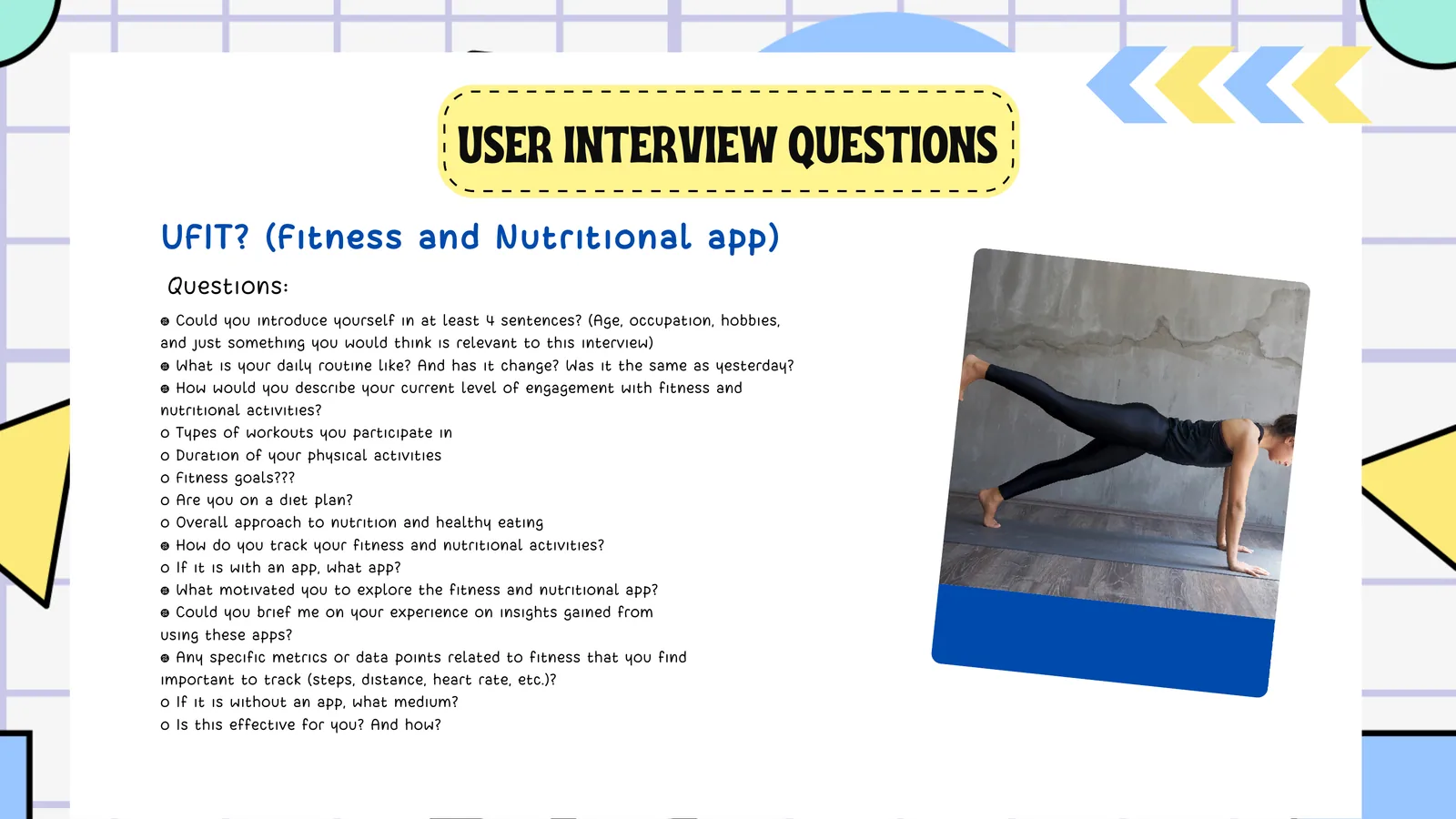
Scripted interviews covered fitness habits, nutrition tracking, pain points with existing apps, and interest in personalised coaching.
 03
03Affinity map
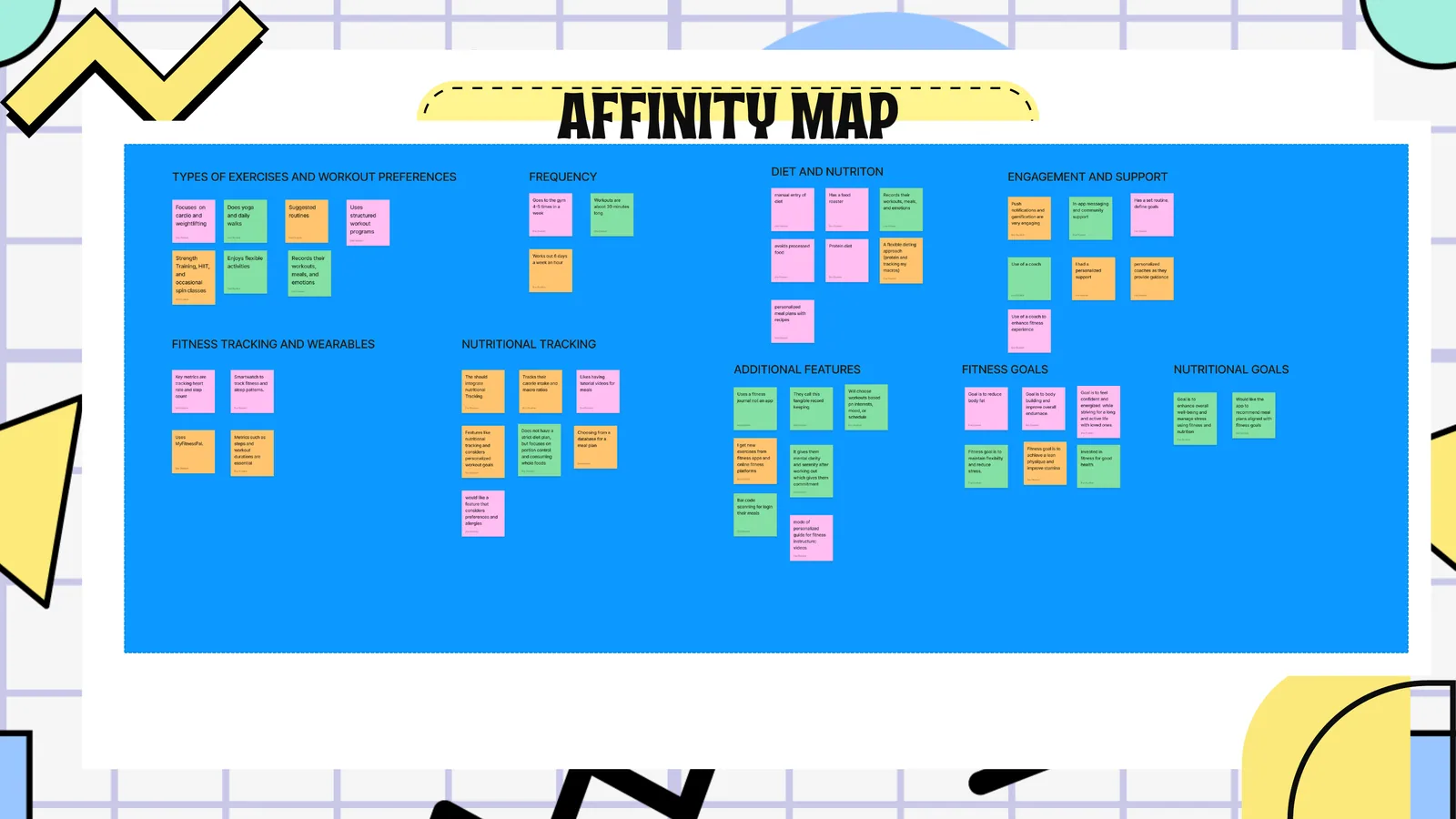
Responses were grouped into eight themes, from exercise preferences and workout frequency to nutritional goals, to find patterns and prioritise features.
 04
04User persona
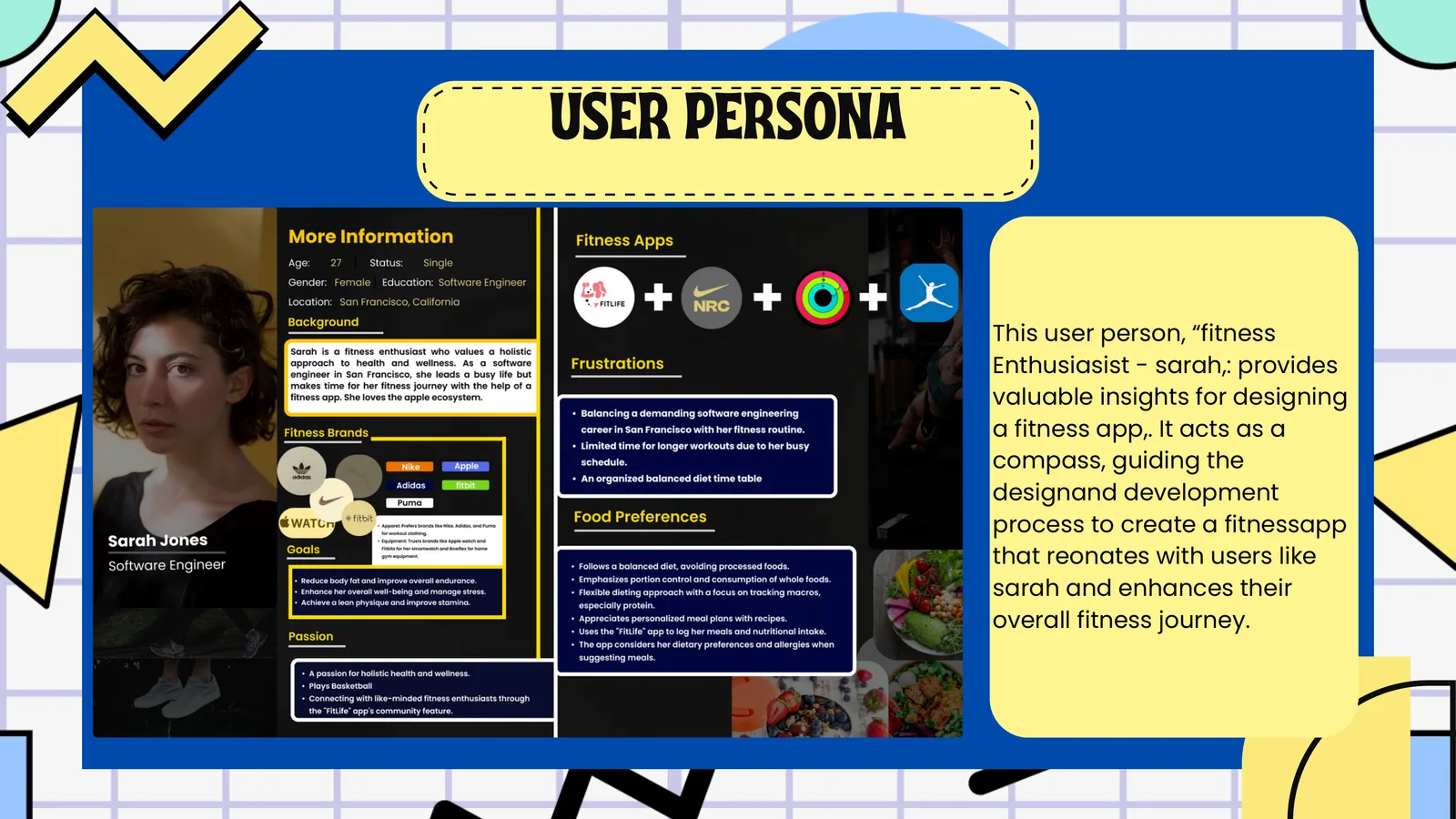
Sarah Jones, 27, a software engineer and fitness enthusiast who struggles to fit her routine around a busy career and needs a flexible, personalised app.
 05
05Problem statement
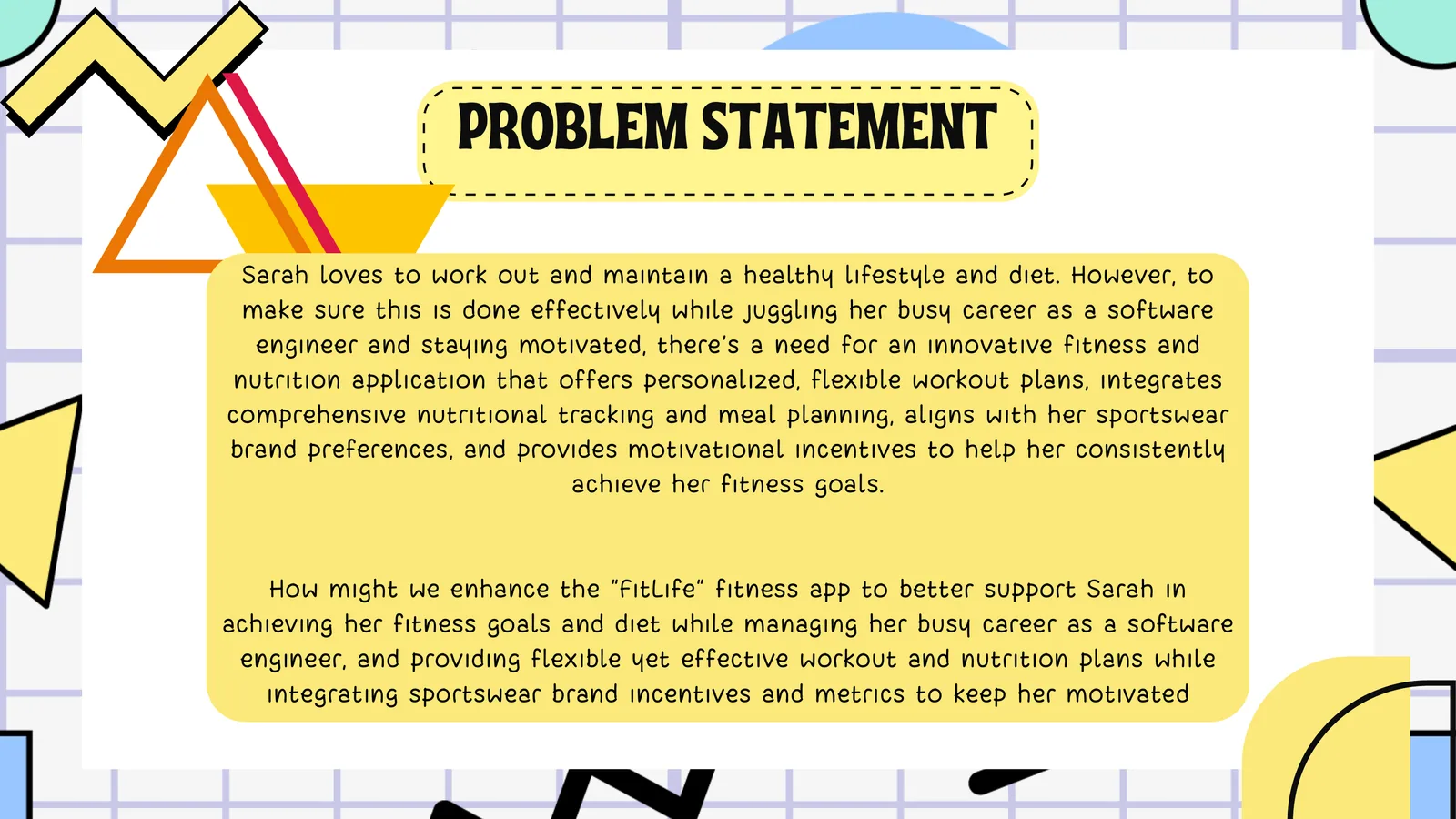
How might we help busy professionals like Sarah reach their fitness and nutrition goals with flexible plans, full nutrition tracking and incentives that keep them on track?
 06
06Lightning demo
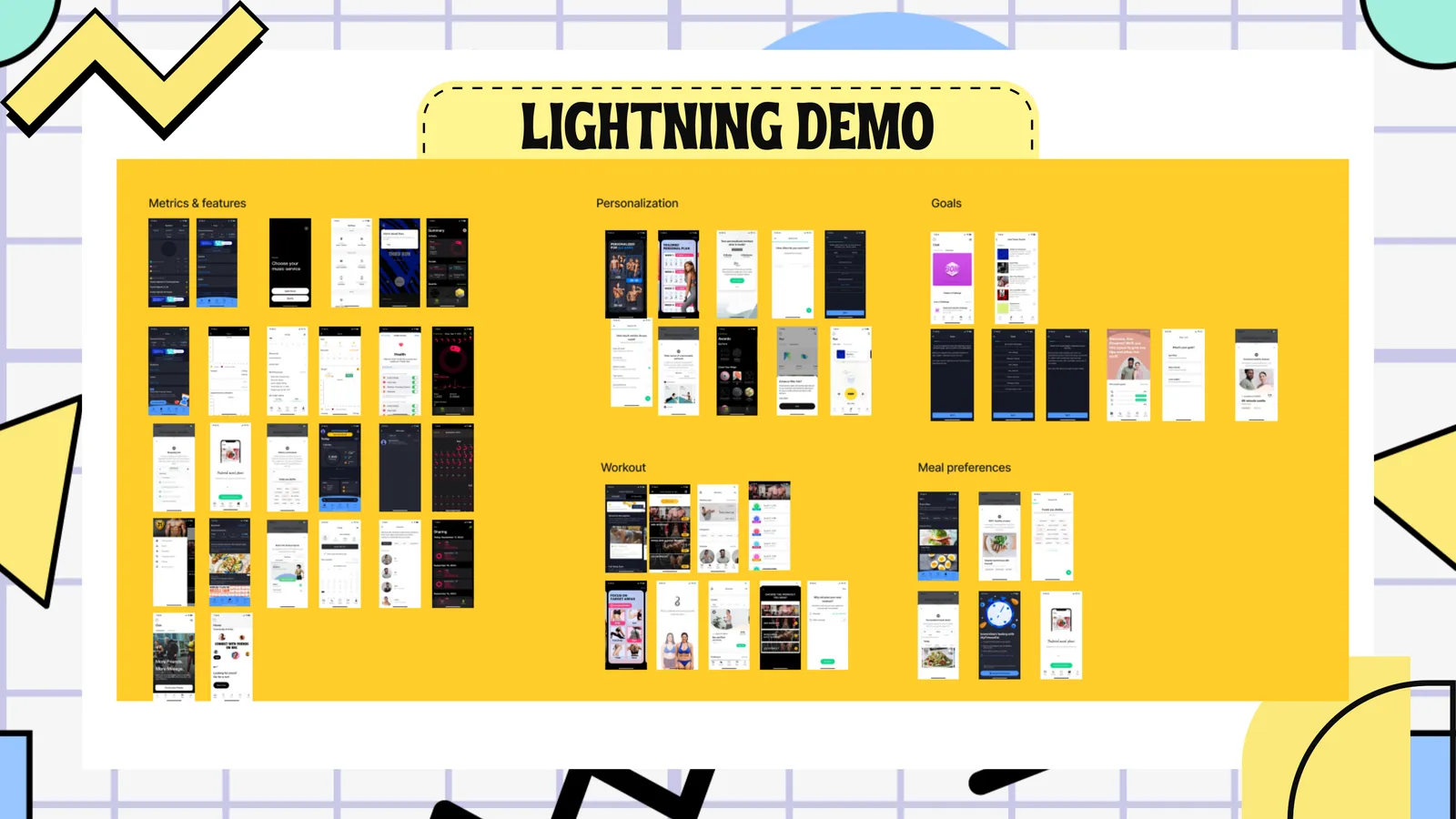
A rapid review of competing fitness apps covered metrics, personalisation, goal setting, workout plans and meal preferences, and showed where UFit could stand out.
 07
07Brainstorming
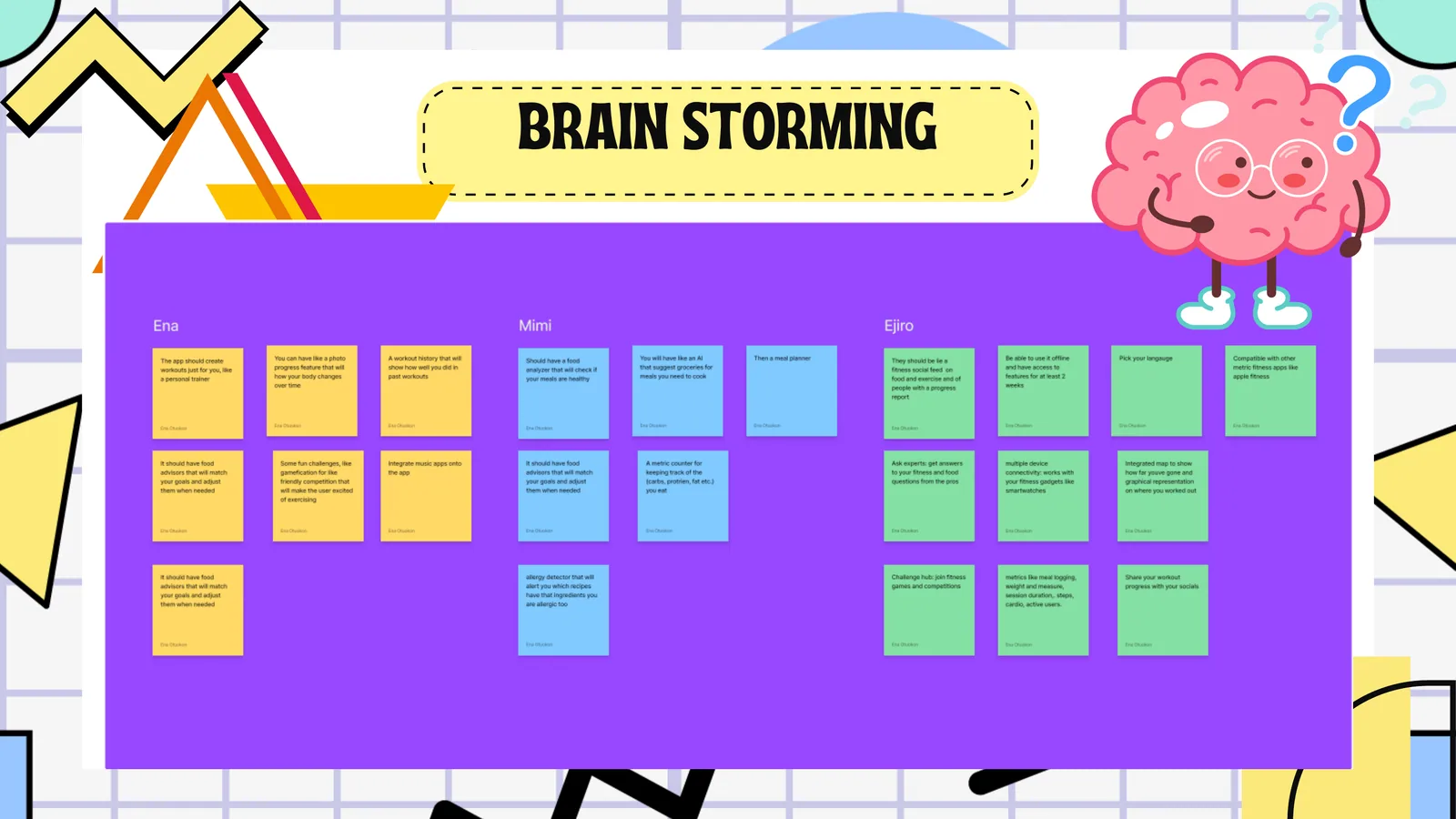
Ideas included AI food analysis, personalised workouts, a social feed, challenges, allergy detection, wearables and progress sharing, each judged on feasibility and user value.
 08
08Lo-fi wireframes, part 1
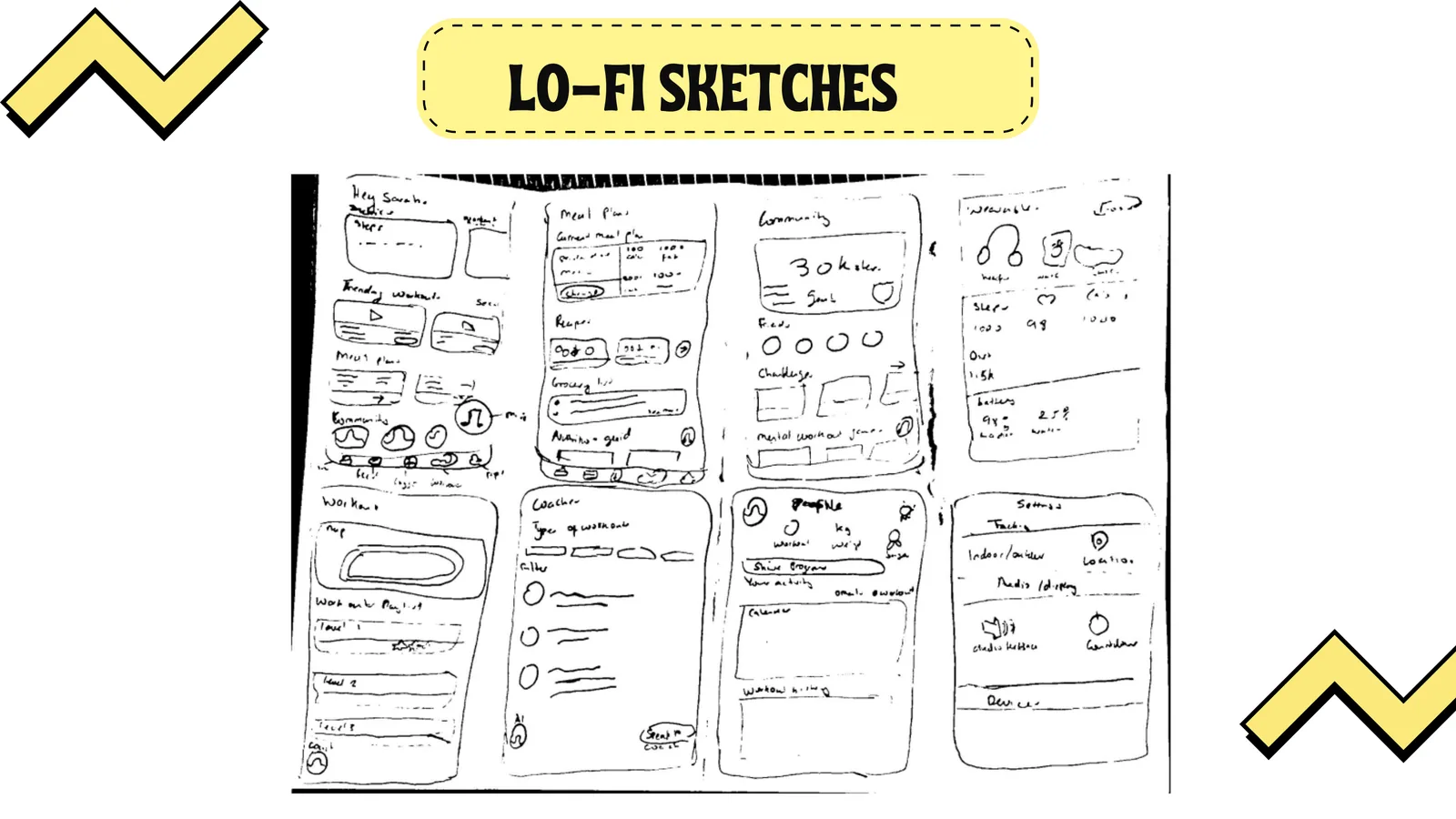
Hand sketches mapped the core flows (dashboard, meal plan, workout tracker, community, wearables, coach, profile, settings) to test the information architecture.
 09
09Lo-fi wireframes, part 2
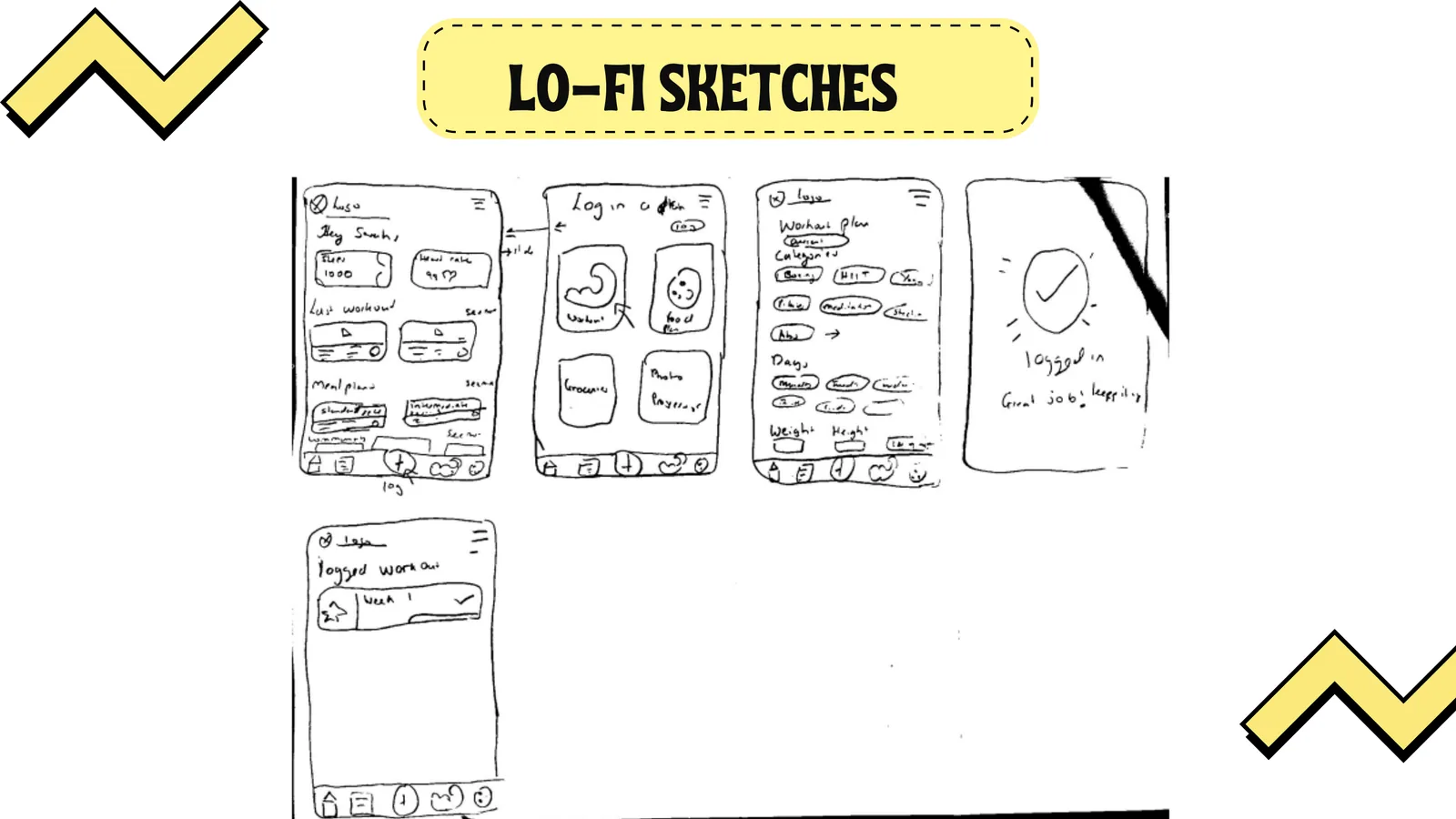
A second round refined login, plan selection and progress logging, converging on a flow with fewer steps that still captured personalisation data up front.
 10
10Whimsical prototype
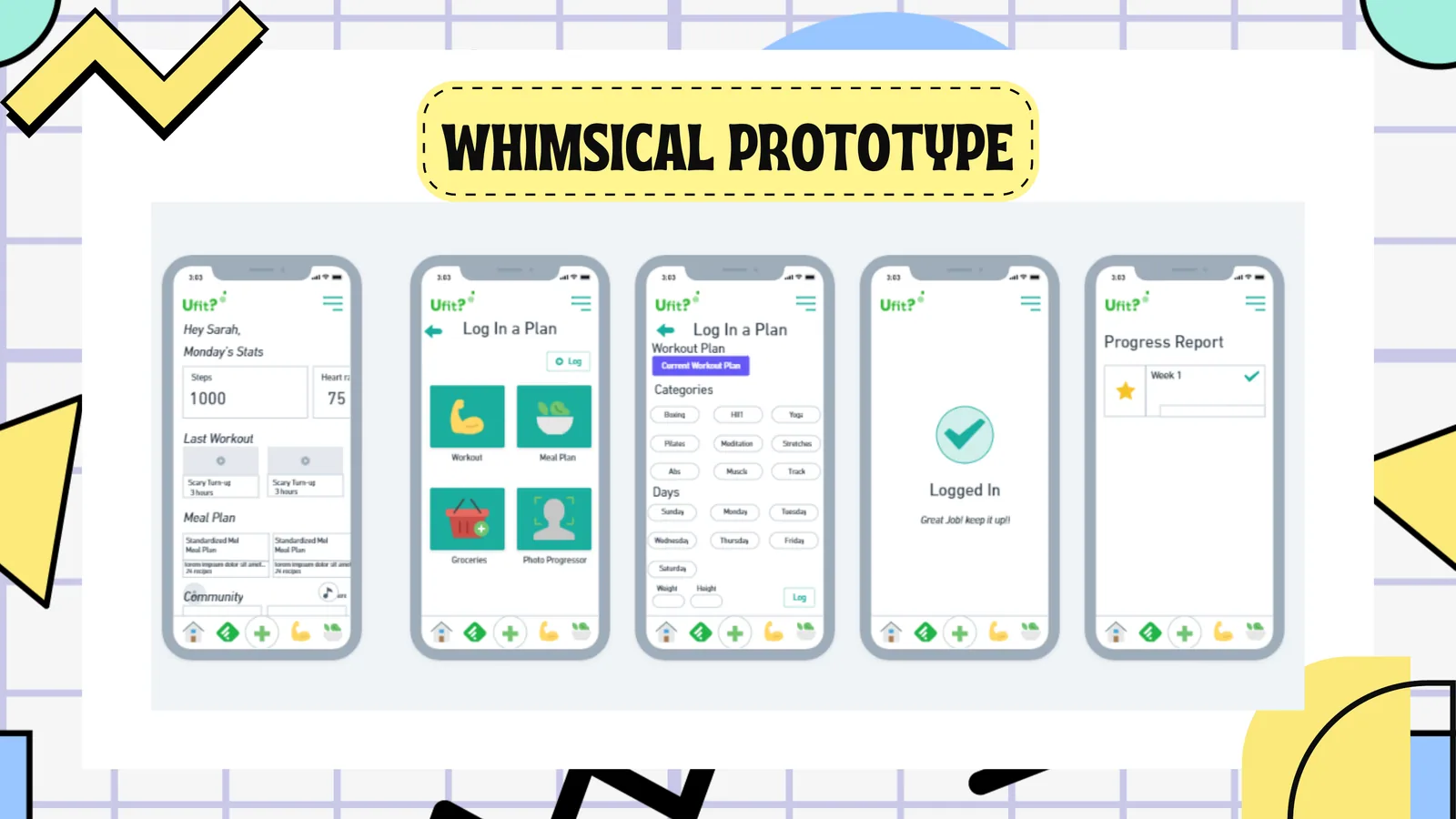
A mid-fidelity prototype of five key screens (dashboard, plan selector, workout plan, logged confirmation and weekly progress) used directly in usability testing.
 11
11Usability testing: flow 1
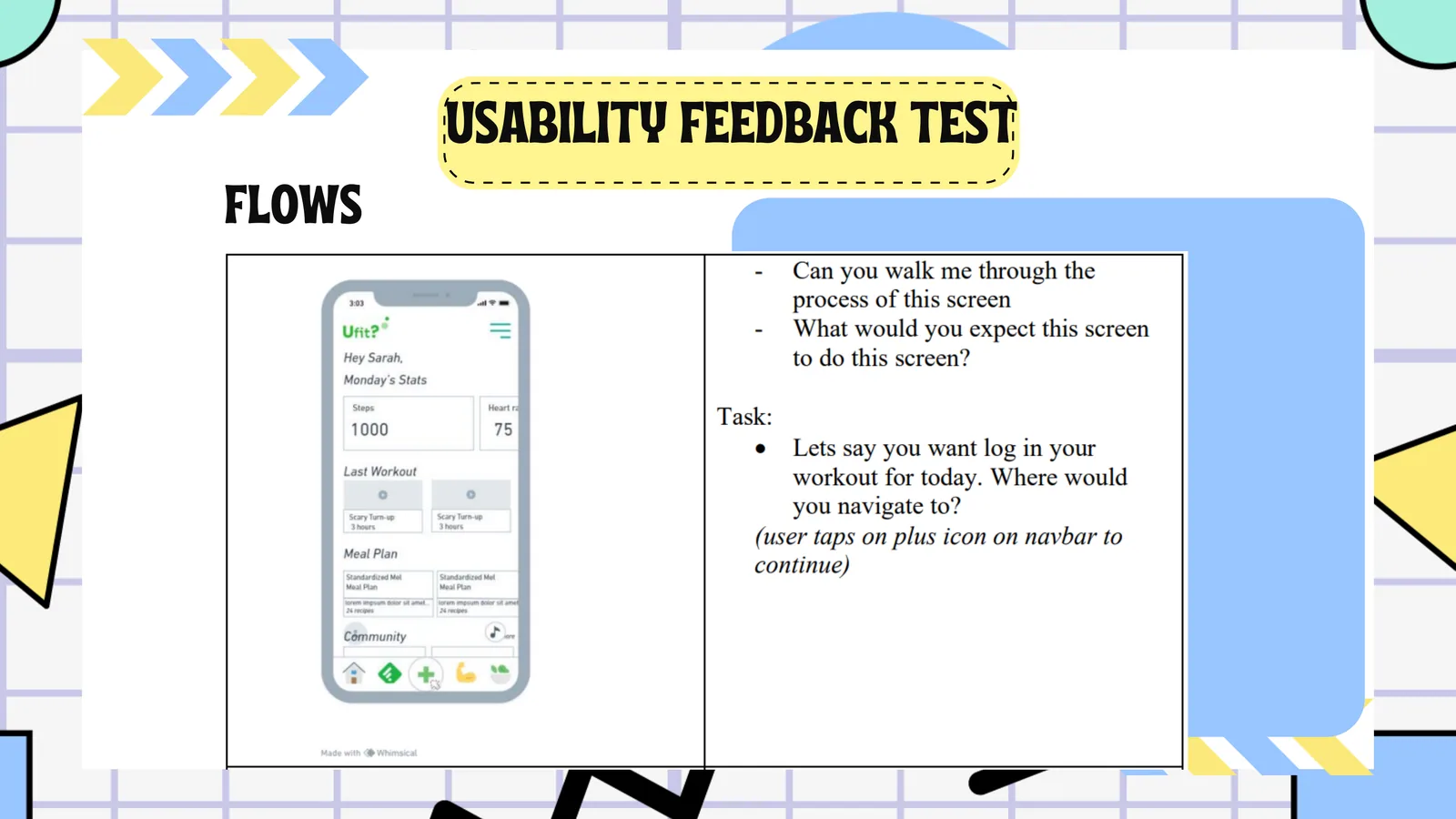
Participants were asked where they would log a workout. Most went straight to the plus icon on the nav bar, validating the navigation pattern.
 12
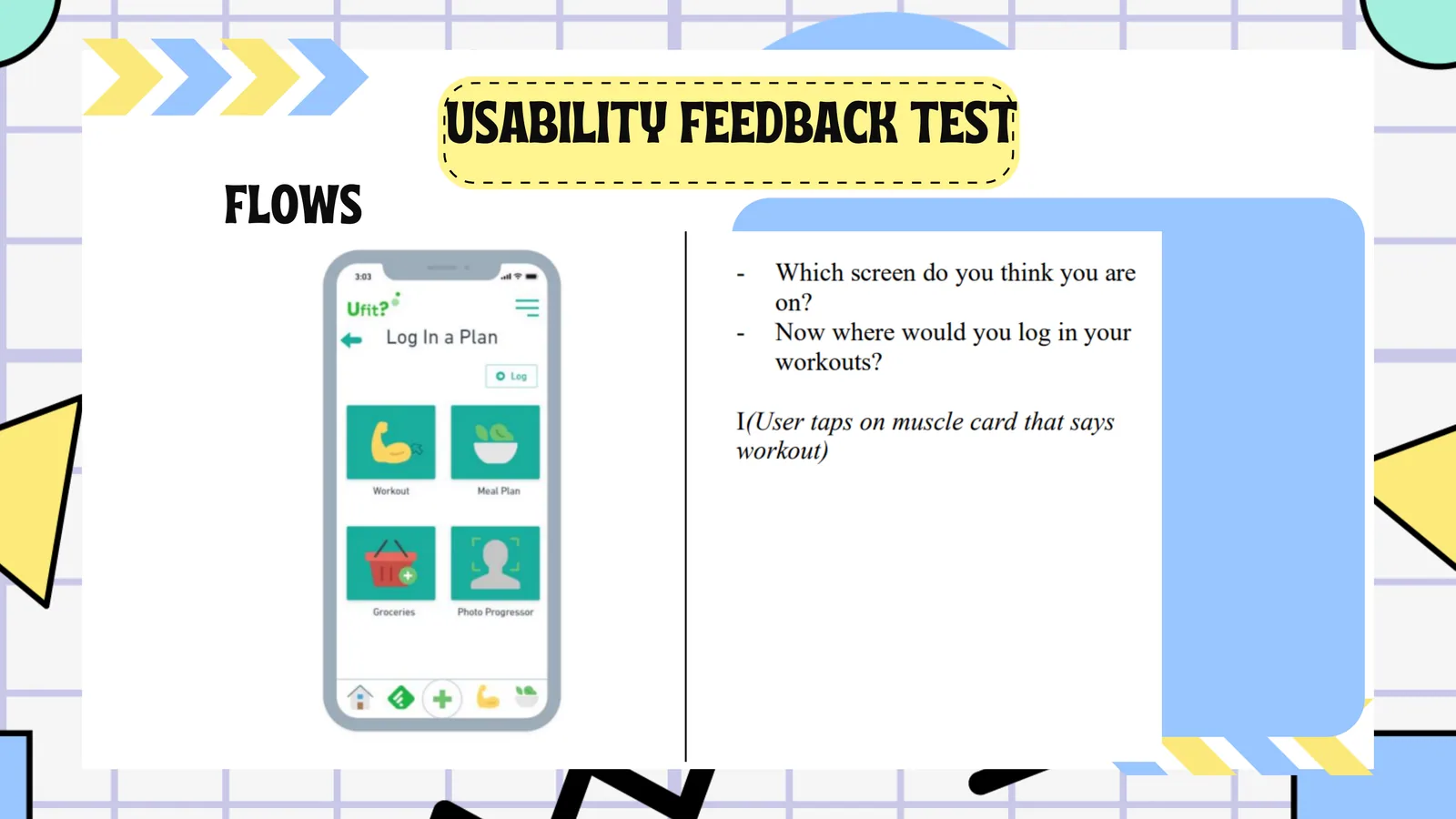
12Usability testing: flow 2
Participants identified the plan screen and where to log workouts. The workout card labels proved intuitive and fed the final copy and icon decisions.